Easy Steps to Set Up Instagram Auto Scheduling
By Nuno AI Team · Updated · 5 min read
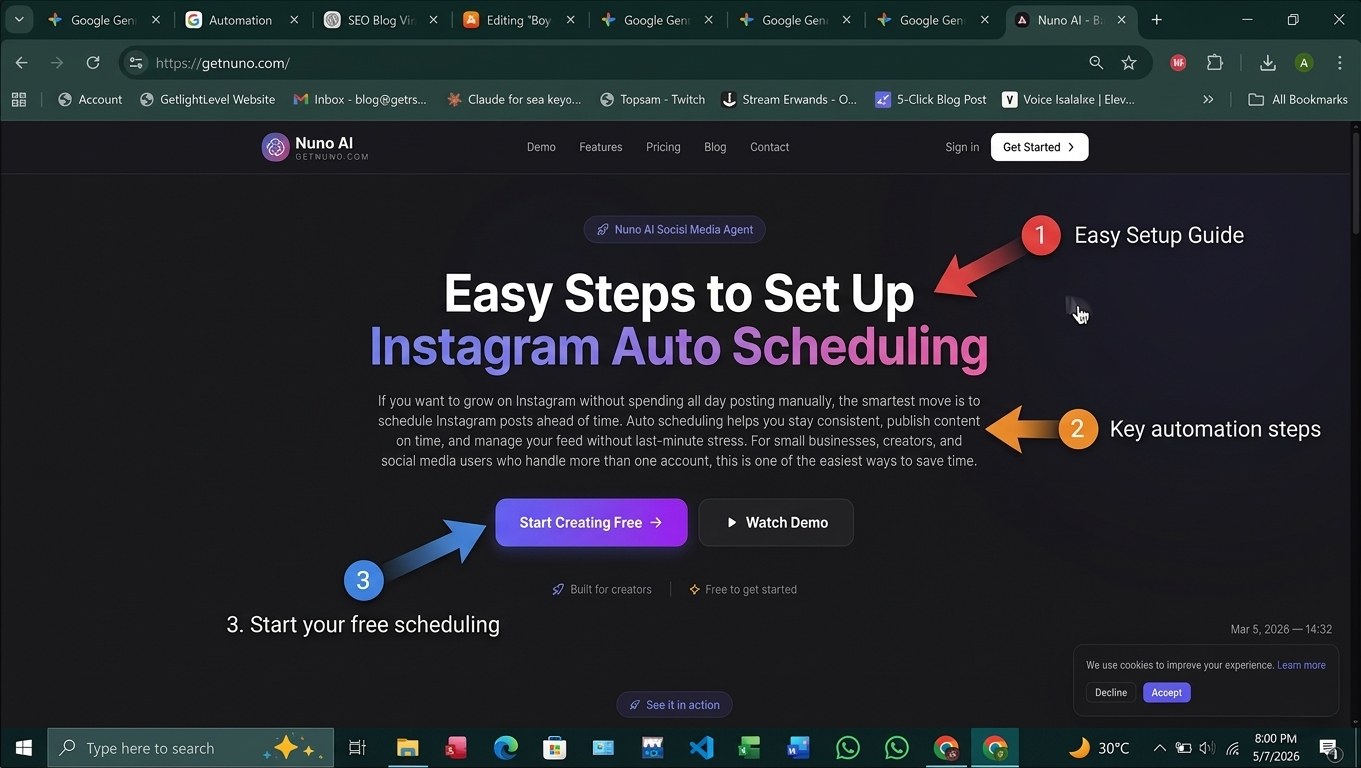
If you want to grow on Instagram without spending all day posting manually, the smartest move is to schedule Instagram posts ahead of time. Auto scheduling helps you stay consistent, publish content on time, and manage your feed without last-minute stress. For small businesses, creators, and social media users who handle more than one account, this is one of the easiest ways to save time.
With Nuno AI, you can plan, organize, and auto publish content from a web-based dashboard built for scheduling and account management. Instead of logging in and out of every account, you can keep everything in one place and let your workflow run more smoothly.
Why Instagram scheduling matters
Save time and stay consistent
When you schedule content in advance, you remove the pressure of posting manually every day. That means less stress, fewer mistakes, and a more consistent feed.
Consistency matters because your audience learns when to expect new content. A steady posting rhythm also helps your brand look active, organized, and professional.
Post more often without extra stress
Many businesses want to post more, but they do not have time to do it manually every day. A good instagram scheduler solves that problem by letting you create content in batches and publish it later.
That is especially helpful when you manage:
multiple social accounts
promotional campaigns
product launches
reels and videos
seasonal content
What you need before you schedule Instagram posts
A business or creator account
To get the most out of auto scheduling, it helps to use a professional Instagram account. That gives you better control over publishing and account management.
A connected content workflow
Before you start, organize your images, videos, captions, and hashtags. A clean workflow makes it easier to schedule content without rushing.
The right instagram scheduling tool
Not every tool gives you the same features. If you want to schedule social media posts in a smooth way, choose a platform that supports:
multiple accounts
post previews
caption editing
video scheduling
auto publish
simple dashboard control
That is where Nuno AI stands out as a practical instagram scheduling tool for teams and businesses.
Easy steps to set up Instagram auto scheduling with Nuno AI
Step 1: Create your Nuno AI account
Start by signing up for Nuno AI. Since it is web-based, you can use it from your browser without switching between apps all day.
Step 2: Connect your Instagram accounts
Add the Instagram accounts you want to manage. If you run more than one brand or client page, this step helps you keep everything organized in one place.
Step 3: Upload your photos, videos, or Reels
Now upload the content you want to post. You can add images, short clips, and longer videos depending on your content plan.
This is where Nuno AI becomes a strong instagram scheduler for busy users who want one tool for everything.
Step 4: Write captions and add hashtags
Write your post copy, include your call to action, and add hashtags that fit your brand. If you are scheduling multiple posts, you can prepare several captions in advance and reuse them when needed.
Step 5: Choose the best posting time
Pick the time you want your content to go live. If you already know your audience is active in the morning or evening, use those time windows.
A strong scheduler can help you schedule Instagram posts at the right time instead of guessing every day.
Step 6: Enable auto publish
This is the key step. Turn on auto publish so your content goes live automatically when the time comes. That is what makes scheduling truly helpful.
If you also want to auto post instagram videos, make sure the video content is uploaded correctly and ready to publish.
Step 7: Review and schedule
Before you finish, preview your post to check the caption, image crop, video framing, and hashtags. Then schedule it.
This simple workflow helps you stay consistent without needing to log in every time a post goes live.
How to schedule Instagram videos the smart way
Use short hooks and clean thumbnails
If you want to schedule Instagram videos, make sure the first few seconds are strong. A short hook, clear visual, and easy-to-read thumbnail can improve performance.
Plan content by topic and goal
Do not upload videos randomly. Organize them by purpose:
educational videos
product demos
behind-the-scenes clips
promotions
customer testimonials
This makes your content easier to manage and helps your audience understand your brand better.
Why Nuno AI is a strong choice
Built for multiple accounts
One of the biggest benefits of Nuno AI is that it is made for managing more than one account at the same time. That is useful for agencies, social media managers, and businesses with multiple brands.
Simple scheduling for teams and businesses
If you need a best instagram scheduler for practical work, Nuno AI gives you a clean way to plan content, assign time slots, and keep a full calendar under control.
A better workflow than manual posting
Manual posting takes more time and increases the chance of mistakes. With Nuno AI, you can reduce repetitive work and focus more on strategy, content quality, and engagement.
Common mistakes to avoid
Posting without a plan
Random posting leads to uneven results. Build a content calendar before you publish.
Ignoring timing
Even great content can perform poorly if it goes live at the wrong time. Use a schedule that fits your audience.
Forgetting to review before publishing
Always check your post before it goes live. Review the image, video, caption, and hashtags first.
Final thoughts
Setting up auto scheduling does not have to be complicated. If you want to schedule Instagram posts faster, keep your content organized, and manage multiple accounts with less effort, Nuno AI gives you a simple starting point.
Whether you want to schedule Instagram videos, manage a business page, or run several social accounts at once, the right scheduler can save time and help you stay consistent. For many users, that means less stress and better results every week.
FAQ's:
Q1: What is the easiest way to schedule Instagram posts?
The easiest way is to use a web-based tool like Nuno AI, upload your content in advance, choose a posting time, and let the scheduler handle publishing.
Q2: Can I schedule Instagram videos too?
Yes, you can schedule Instagram videos in a good scheduling tool. Nuno AI helps you organize and publish video content as part of your schedule.
Q3: Is Nuno AI good for multiple accounts?
Yes. Nuno AI is designed to manage more than one account at the same time, which makes it useful for businesses, agencies, and social media managers.
Q4: Do I need a free instagram scheduler or a paid one?
A free scheduler can work for basic needs, but if you want more control, multiple accounts, and stronger workflow support, a paid option may be better.
Q5: Why should I schedule social media posts instead of posting manually?
Scheduling saves time, reduces stress, and helps you stay consistent. It also makes it easier to manage content across different accounts and platforms.
Put your character in a viral video
Pick a trending clip or upload your own, add photos of your character, product or outfit, and we make the video for you. No account, no prompts.
Try Nuno Mimic →