Done-For-You AI Video vs DIY Tools: How to Stop Wasting Credits on Bad Generations (2026)
By Nuno AI Team · Updated · 6 min read
In this guide
- Why do AI video generations fail?
- Do Kling and Higgsfield refund credits for bad generations?
- What does a usable AI video really cost?
- Done-for-you vs DIY AI video: side by side
- Is there a done-for-you AI motion transfer service?
- The 6 best ways to make an AI character video, by effort
- When DIY is the better choice
- Sources
Short answer: with do-it-yourself AI video tools like Kling, Higgsfield and Viggle, you pay credits for every attempt. Runs that fail are usually refunded, but runs that finish and still look wrong are not. A done-for-you AI video service like Nuno Mimic charges once per video: our team runs the generations for you, so you never spend your own credits on attempts.
AI video got very good in 2026, but it still fails in predictable ways. If you have ever burned through a credit pack trying to get one clean 10-second clip, this guide is for you. We compare the two ways to make an AI character video, with the real refund rules and costs, so you can pick the one that fits.
Why do AI video generations fail?
Even the best models of 2026 break in the same places:
- Faces drift on head turns. Video models rebuild every frame with only a weak memory of who the person is, so a turn, a profile shot or a hand crossing the face can quietly change the face.
- Hands and fingers. Extra, fused or flickering fingers are still so common that researchers list them as a standard failure category.
- Fast or complex motion. Recent motion transfer research finds fine body movement, upside-down poses (think breakdance) and several people moving at once still give inconsistent results.
- Hidden or exiting subjects. When the person in the reference clip is blocked or leaves the frame, the copy distorts.
- Text and logos. Signs, labels and product text often come out garbled.
- Flagged content. Some clips or photos trip safety filters, and the run never finishes.
None of this is your fault. But on most platforms, you pay for it.
Do Kling and Higgsfield refund credits for bad generations?
Mostly no. They refund runs that fail, not runs that finish but look wrong.
| Platform | Run fails or errors | Run finishes but looks wrong | Refund on the purchase |
|---|---|---|---|
| Kling | Credits refunded | Charged in full | Generally not refundable once used |
| Higgsfield | Credits returned automatically, including most flagged runs | Charged | Within 7 days, first purchase only, and only if no credits were used |
| Nuno Mimic | You only pay for a finished video | We send the closest match we can make | Refund if not delivered, can't be made, or clearly not what you ordered |
That gap is where most wasted money goes: a clip that renders fine but has a melted hand, the wrong face for two seconds, or a product label that turned into noise. You paid, you try again, you pay again.
What does a usable AI video really cost?
The price per second looks small. Kling's motion control API, for example, is reported at about $0.13 per second at 720p and $0.17 at 1080p, and app credits cost more. The real cost is the price per attempt times the number of attempts. If it takes four tries to get a clean 10-second 1080p clip, you paid for 40 seconds of video, plus the hour you spent prompting and waiting.
With Nuno Mimic you pay once per video, priced by length and quality and shown before you pay. The attempts happen on our side, so you never pay per try. Short 480p clips cost a couple of dollars.
Done-for-you vs DIY AI video: side by side
| DIY AI video tools | Done-for-you (Nuno Mimic) | |
|---|---|---|
| Who makes the video | You | Our team |
| Skills needed | Prompting, references, settings | Pick a clip, add photos |
| Who pays for attempts | You, in credits, for every try | You pay once per order |
| Your time per video | Minutes to hours of retries | About two minutes to order |
| Pricing | Credits and subscriptions | Per finished video, no account needed |
| Best for | Tinkerers, daily volume, full control | Anyone who just wants the result |
Is there a done-for-you AI motion transfer service?
Yes. When we searched for a service that is done for you, uses no credits and charges per finished video, almost every result was a self-serve tool that sells credits. Nuno Mimic was built for exactly that gap.

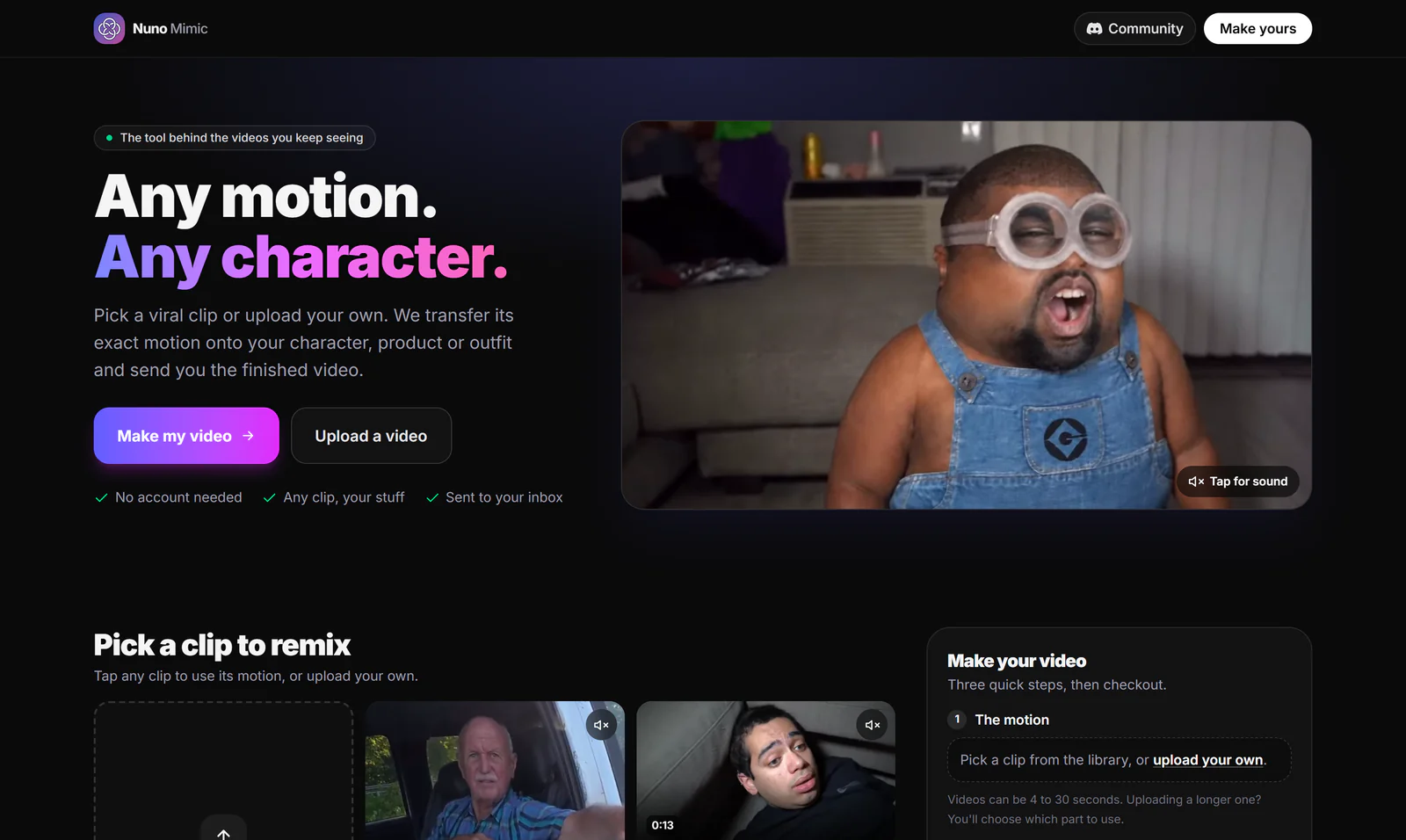
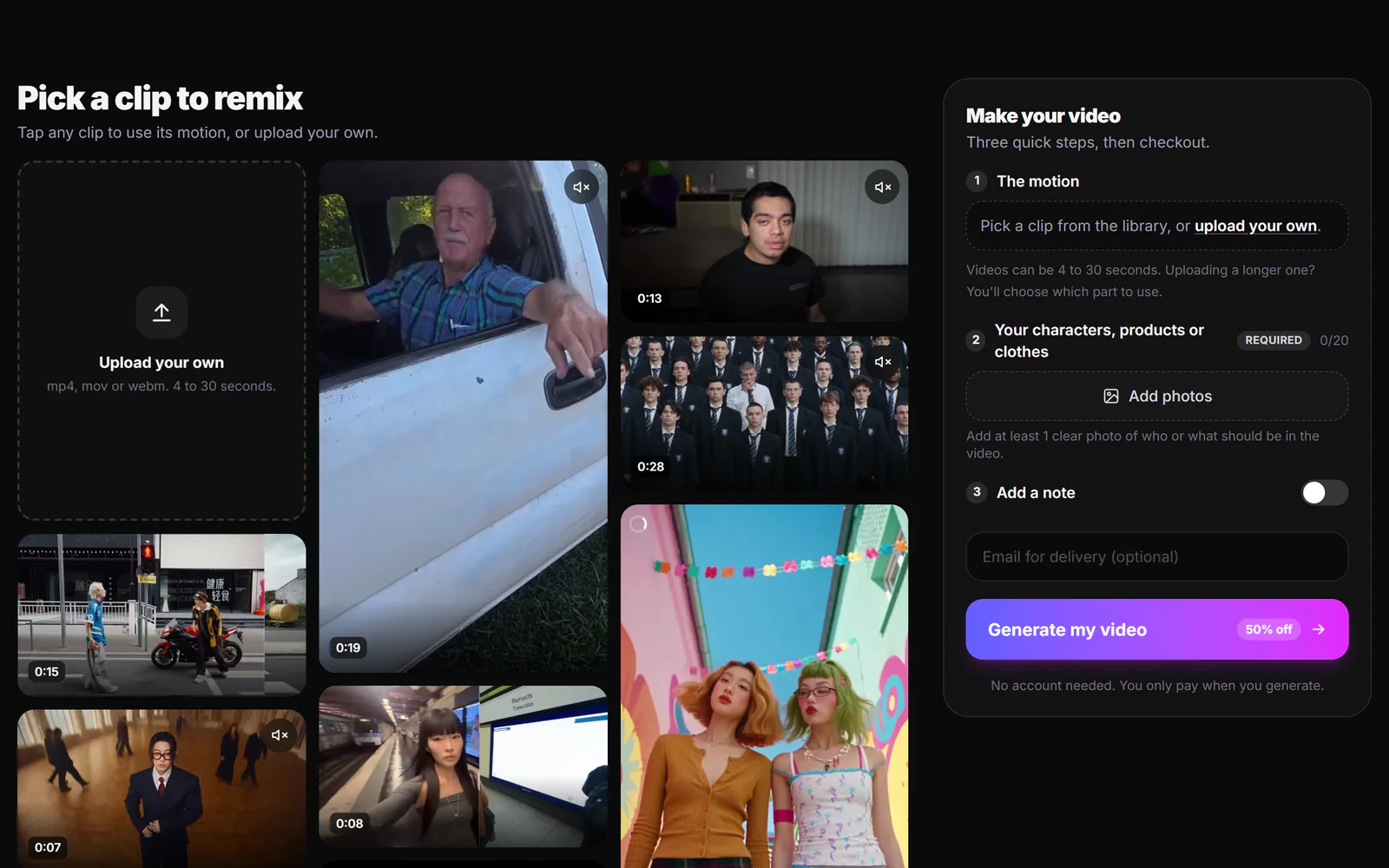
- Pick the motion. Choose a trending clip from the library, or upload your own video (4 to 30 seconds).
- Add your stuff. Up to 20 photos of your character, product or outfit, plus an optional note.
- Get your video. It is emailed to you and shows on your order page. Most orders are ready within a few hours.
How we get you the closest match
- We check your clip and photos first. If something cannot be used, for example because of copyright or IP issues or because it would be flagged as sensitive, we email you and ask for a replacement instead of sending a broken video.
- We set up each generation for your clip. Framing, references and settings are chosen by people who make these videos every day.
- We send the closest match we can make. AI video is still unpredictable, so small differences (a hand, a background detail, an expression) can happen. Clear, well-lit photos and a clip with one main person give the best results.
- Clear refund rules. If we can't deliver, can't make your video, or the result is clearly not what you ordered, you are covered by our 30-day money-back guarantee on your first purchase.
The 6 best ways to make an AI character video, by effort
1. Nuno Mimic: done for you
Our own service. Pick a clip, add photos, and the finished video lands in your inbox. No account, no prompts, and no credits to burn on attempts.
Best for: creators, brands and agencies who want to jump on a trend today without learning a tool. Make a video with Nuno Mimic.
2. Kling 3.0 Motion Control
The strongest raw motion quality for dances and choreography, with clips up to 30 seconds. You drive it yourself and pay per run, including the runs that come out wrong.
Best for: people who will iterate to get a perfect take.
3. Higgsfield Genjutsu
A video-to-video tool that recasts an existing clip: swap the character, outfit, product or location while keeping the motion. Credits are shown before each run. We compare it in detail in our Higgsfield Genjutsu alternatives guide.
Best for: creators who already use the Higgsfield suite.
4. Viggle
The fastest way to make a photo dance, with a free tier. Less precise with faces and busy scenes.
Best for: quick memes and testing an idea.
5. Dreamina with Seedance 2.5
ByteDance's app with the Seedance 2.5 model: 30-second clips, native audio and local editing for building new scenes. See our Seedance 2.5 guide.
Best for: making new scenes from scratch.
6. Wan Animate
An openly released model you can run on your own computer or through hosted apps. Most control, most setup.
Best for: technical teams who want to own the pipeline.
When DIY is the better choice
Done-for-you is not for everyone. Pick a DIY tool if you enjoy experimenting, need dozens of variations every day, or want to control every frame yourself. If you want to learn the craft, our step-by-step guide to making viral AI character videos is a good place to start.
If you would rather skip the learning curve and only pay for videos you can actually post, try Nuno Mimic.
Sources
- Kling AI credits policy
- How Higgsfield credits work
- Fix a stuck or failed Higgsfield generation
- FlowMotion: training-free flow guidance for video motion transfer (2026)
- Generative video distortion evaluation via frame reward model (2026)
- Kling AI pricing guide, eesel
Facts checked October 8, 2026. Policies and prices change; check each site before you buy.
Frequently asked questions
Why does my AI video keep messing up the face?+
Video models rebuild each frame with only a weak memory of identity, so head turns, profile shots and hands crossing the face often change it. Clear, front-facing reference photos help most, and with a done-for-you service like Nuno Mimic the team handles the setup for you.
Do I get my credits back if an AI video comes out bad?+
Usually only if the run fails outright. Kling and Higgsfield return credits for failed or flagged runs, but a video that finishes and looks wrong is charged in full.
Is there a done-for-you AI video service for motion transfer?+
Yes. Nuno Mimic is a done-for-you motion transfer service: pick a trending clip or upload your own, add photos, and the team makes the video and emails it to you. You pay once per video, with no account or credits needed.
What is the easiest way to put my character in a viral video?+
Use a done-for-you service. With Nuno Mimic you pick the clip, upload a few clear photos of your character, and receive the finished video by email, with no prompting or editing.
How much does a done-for-you AI video cost?+
Nuno Mimic prices each video by length and quality, shown before you pay. You pay once per order, never per attempt, and short 480p clips cost a couple of dollars.
Put your character in a viral video
Pick a trending clip or upload your own, add photos of your character, product or outfit, and we make the video for you. No account, no prompts.
Try Nuno Mimic →