How Are People Making Those Viral AI Videos? Tools, Formats and Hooks (2026)
By Nuno AI Team · Updated · 11 min read
In this guide
- How are people creating viral AI videos right now?
- What AI videos are going viral in 2026?
- Which AI video generator is best for viral videos?
- Can you use Seedance 2.5 outside China?
- How to make a viral AI video, step by step
- What makes an AI video go viral? (It is not the AI)
- How to find viral AI video trends before they blow up
- Do you have to label AI videos on TikTok, Instagram and YouTube?
- The easiest way to make a viral AI video: Nuno Mimic
- When a DIY generator is the better choice
- Sources
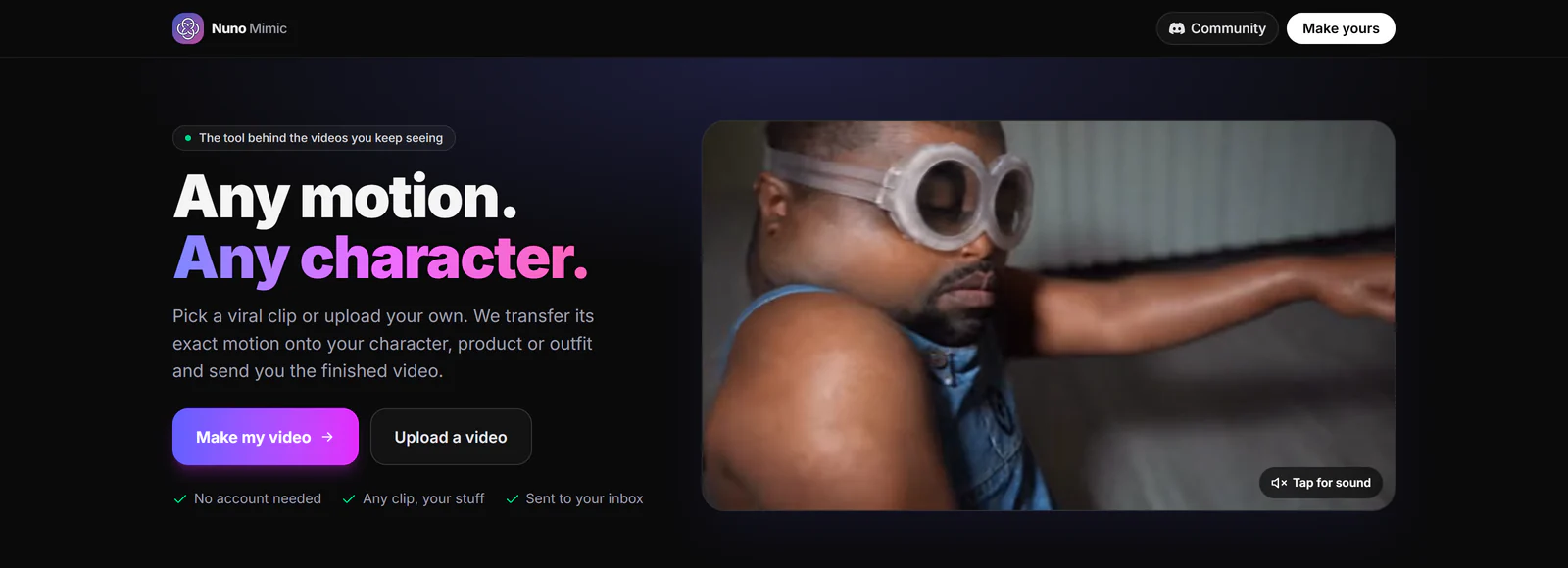
Short answer: how people make viral AI videos in 2026 is simpler than it looks: they rarely prompt from scratch. Creators take a format that is already working, such as a trending dance, meme or skit, put a new character into it with AI motion transfer, then edit for a strong first second and a clean loop. The easiest way is to let a team make it for you with Nuno Mimic.
If you have scrolled TikTok, Reels or Shorts lately, you have seen them: a grandma breakdancing, a cartoon mascot doing the exact moves of a viral dance, a baby lip-syncing a rap verse. And the question everyone asks is the same: how are people making these? This guide answers it, based on what we found researching the formats, tools and hooks behind viral AI videos in 2026.
How are people creating viral AI videos right now?
Almost every viral AI video goes through the same four steps:
- Pick a format that already works. A dance, meme, skit or sound that is trending right now. Viral AI creators rarely invent a format; they remix one.
- Make the AI part. Usually one of two ways: motion transfer (copy the exact movement of a real clip onto a new character) or generation from scratch (a text or image prompt creates a brand new scene).
- Edit for retention. A hook in the first second, captions, sound, fast pacing, and an ending that loops back to the start.
- Post natively in 9:16. Upload straight to TikTok, Reels and Shorts, with an AI label where the platform asks for one.
The big shift in 2026 is step 2. Prompt-only video is fast, but the motion is approximate: the beat, footwork and timing drift away from the original. That is why the clips that blow up are so often motion transfer: the motion comes from a real video that already went viral, so the timing is perfect, and the AI only swaps who is doing it.
What AI videos are going viral in 2026?
These are the AI video formats we saw over and over in 2026 roundups and on the For You page, with how each one is made.
1. Character swaps of viral dances and memes
A trending dance or meme, but performed by someone or something unexpected: a baby, a grandpa, a brand mascot, a pet, an anime character. The "AI baby dance" trend and the clip of a South African tour operator doing pantsula moves (January 2026) are classic examples.
How it is made: motion transfer. One reference video for the movement, a few photos for the new character.
2. Talking characters and talking animals
A dog explaining your Monday, a statue giving dating advice. How it is made: lip sync or motion transfer from a clip of a real person talking, mapped onto the character.
3. Freeze-to-motion and photo animation
A still photo suddenly starts moving: an old family photo blinks, a painting turns its head. The switch from still to motion is an instant hook. How it is made: image-to-video.
4. Style transformations
The same clip turned into anime, claymation, Lego or a 3D cartoon. How it is made: video-to-video style transfer, often on top of a real clip.
5. Impossible physics and "falling from the sky"
Things that cannot happen: a car folding like paper, people dropping out of the clouds onto a street. How it is made: generation from scratch, usually several tries per shot.
6. Recurring AI characters
One character with a fixed look who appears in every post, so viewers start to recognize them. Some get so real that the comments turn into an "is this AI?" debate, which itself drives views. How it is made: a reference set of the character, reused across many videos.
7. AI UGC and product videos
A product, outfit or mascot dropped into a trending clip so it looks like a native post rather than an ad. How it is made: motion transfer with product or outfit photos.
8. Short loops
Clips under about 9 seconds where the last frame flows into the first, so people watch three times before they notice. How it is made: any of the above, cut so the start and end match.
Notice how many of these are the same trick: a motion that already works, a new character in it. That is the format Nuno Mimic is built for.
Which AI video generator is best for viral videos?
It depends on which format you are making. Here is how the big names compare for viral short-form content.
| Tool | Best for | The catch |
|---|---|---|
| Seedance 2.5 (ByteDance) | New cinematic scenes, up to 30 seconds with sound | Staged regional rollout, subscriber accounts, and real faces blocked in reference uploads |
| Kling 3.0 Motion Control | Copying a dance or movement onto a character, up to 30 seconds | You run it yourself and pay credits for every attempt, good or bad |
| Google Veo | Realistic new scenes made from a text prompt or image | Cannot copy the motion of an existing video onto your character, so no viral swaps |
| Nuno Mimic (our own service) | Putting your character, product or outfit into any viral clip | Not a tool you drive: our team makes the video for you |
OpenAI closed the Sora app in April 2026, and like Veo it never did motion transfer from an existing video. For the latest realism rankings, see the most realistic AI video generators. If you want to learn the do-it-yourself tools in depth, we cover them in our Seedance 2.5 guide and our Higgsfield Genjutsu alternatives comparison.
Can you use Seedance 2.5 outside China?
Partly. Seedance is ByteDance's video model, the same company behind TikTok and CapCut, and it is one of the most talked-about generators of 2026. But getting a clean result out of it, especially with a real person, is harder than the demos suggest:
- Staged rollout. ByteDance announced Seedance 2.5 on Dreamina on July 31, 2026, rolling out to subscriber accounts of people over 16 in Europe, Asia, the Middle East and South America. The United States was not on that list.
- Real faces are blocked. Since the Seedance 2.0 relaunch, ByteDance's apps show a note that the model does not support real human faces in uploaded references, and uploads with a detected face are rejected. Reports say this also applies to Seedance 2.5.
- The China app is harder still. Jimeng, the Chinese version, and some third-party resellers ask for a mainland China phone number.
- You still pay for misses. Like every DIY tool, you pay for each generation, including the ones with a drifting face or broken hands.
So if your plan is "put me, my creator persona or my product into this viral clip", Seedance is often the wrong tool. With Nuno Mimic you upload the photos, we make the video, and it works wherever you are, with no account and no app to learn.
How to make a viral AI video, step by step
Step 1: Find a format that is already working
Spend 15 minutes on the For You page, Reels tab and Shorts feed with a notes app open. Save every AI video with big numbers, and write down the format, not the topic: "dance swap", "talking pet", "still photo comes alive". Look for formats that are growing but not yet everywhere, and move fast: AI trends peak in days, not weeks.
Step 2: Pick the motion clip
For motion transfer, the reference clip matters more than anything. Good clips have one clear subject, full body in frame, steady lighting, and no hard cuts. Pick from the Nuno Mimic library, which is full of trending clips, or upload your own (4 to 30 seconds).
Step 3: Prepare your character
Use clear, front-facing photos of the character, product or outfit, with a few angles and at least one full-body shot. Better references mean fewer face changes when the character turns. Only use photos you have the right to use.
Step 4: Generate (or have it made)
Doing it yourself, plan for several attempts per shot: one popular guide budgets three to five. Faces drift on head turns, hands break, fast moves slip. Each retry costs credits. With Nuno Mimic, our team handles the setup and runs the generations, so you never pay per attempt. We explain why that matters in done-for-you AI video vs DIY tools.
Step 5: Edit for the first second
Trim any dead frames at the start, so the most surprising moment is on screen immediately. Add a short caption on frame one, keep the original sound or use a trending one, and end on a frame that loops back to the start.
Step 6: Post natively and label it
Post 9:16 directly in each app (no watermarks from other platforms), use the platform's AI label when the video shows realistic people, and post the same video on TikTok, Reels and Shorts.
What makes an AI video go viral? (It is not the AI)
A year ago, "made with AI" was enough to stop the scroll. In 2026, AI visuals are everywhere, so the AI alone does not get views. What does:
- The first one to three seconds. Short-form platforms decide fast. Open on the most surprising frame, not on a slow intro.
- A question in the viewer's head. "Wait, is that real?" or "How did they do that?" keeps people watching and commenting. Rewatches to figure out how it was made push distribution.
- A recognizable format. People already love the original dance or meme, so your version starts with built-in interest.
- Surprise in the character. The more unexpected the character doing the motion, the more shares.
- Loops. Short clips whose last frame matches the first get watched again, and replays count.
- Packaging. Creators who post the same generation twice with a different first second and caption report very different view counts. Test hooks, not just videos.
For more on making the character side look good, read our step-by-step guide to making viral AI character videos.
How to find viral AI video trends before they blow up
- Follow AI creators, then watch what they remix. When three AI accounts post the same format in a week, it is a trend.
- Watch the sounds. A sound climbing on TikTok with few AI versions yet is an opening.
- Search the platforms directly. Try "AI dance", "AI baby", "AI version" and "AI trend" in TikTok and Instagram search, filtered to this week.
- Read the comments. "Do this with my dog" or "now do it with a grandma" is a free brief.
- Move first, polish second. A good video on day two beats a perfect one on day ten. That is where done-for-you helps: you order in about two minutes and keep your time for the next idea.
Do you have to label AI videos on TikTok, Instagram and YouTube?
Usually, when the video looks real. TikTok asks creators to label AI-generated content that shows realistic scenes or people, and it also labels content automatically using content credentials. Meta adds an "AI info" label on Instagram and Facebook, and YouTube asks creators to disclose realistic altered or synthetic content in YouTube Studio. In the EU, the AI Act's transparency rules apply from August 2, 2026. Labeling does not stop a good video from spreading; getting caught hiding it can cost you the account. Check each platform's current rules before you post.
The easiest way to make a viral AI video: Nuno Mimic
Nuno Mimic is our own done-for-you motion transfer service. You pick the motion, we put your character in it.
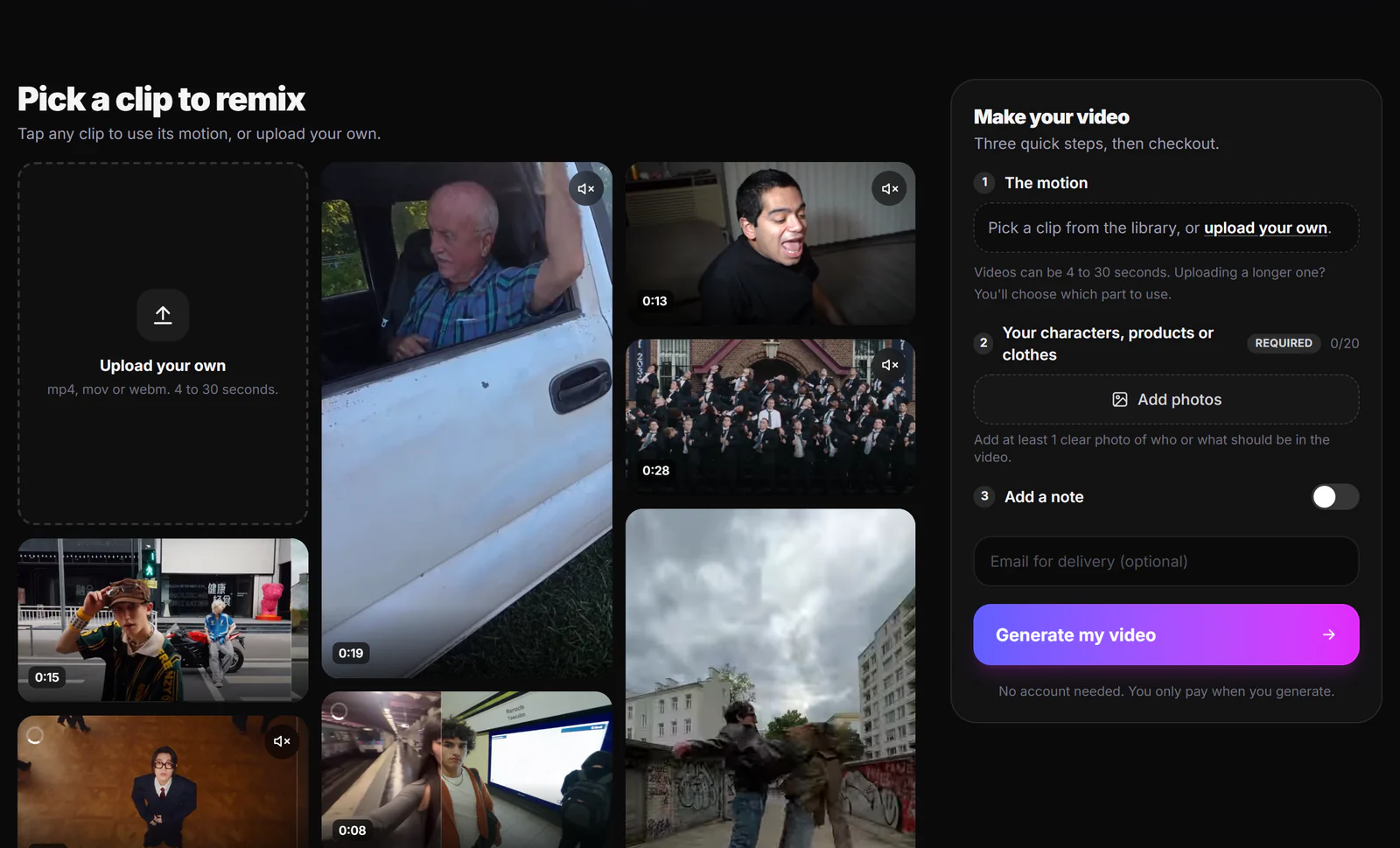
- Pick the motion. Choose a trending clip from the library or upload your own video (4 to 30 seconds).
- Add your character. Up to 20 photos of the person, character, product or outfit, plus an optional note.
- Get your video. Our team makes it and emails it to you. Most orders are ready within a few hours.
Why creators use it instead of a generator:
- No account, no prompts, no credits. You pay once per finished video, priced by length and quality and shown before you pay. Short 480p clips start at about $2.
- You pay once, not per attempt. We send the closest match we can make; AI video is still unpredictable, so small differences can happen. If we can't deliver, can't make your video, or the result is clearly not what you ordered, your first purchase is covered by our 30-day money-back guarantee.
- Works with your own photos, wherever you are. No region locks and no app to learn. If a photo cannot be used, we tell you and ask for another one instead of charging you for a failed run. Just make sure you have the right to use the photos.
- Launch offer. At the time of writing, new visitors get 50% off 720p and 1080p videos for a limited time, and 50% off the first month of most subscription plans.
Make your first viral AI video with Nuno Mimic.
When a DIY generator is the better choice
Pick a do-it-yourself tool if you want to invent brand new scenes from text (fake trailers, impossible physics), if you enjoy experimenting with prompts, or if you need dozens of variations a day and want to control every frame. For "this viral clip, but with my character", a done-for-you service is faster and you only pay for videos you can post.
Sources
- Seedance 2.5 launch announcement, Dreamina
- ByteDance relaunches Seedance 2.0 with real-face upload restrictions, Phemex News
- Creating with Kling 3.0 Motion Control, Runway Help Center
- The AI baby dance trend, Perfect Corp
- Afrikaner man goes viral with AI pantsula dancing, Briefly News
- Why the first few seconds matter, Virlo
- Viral AI video trends 2026, Starrd
- TikTok's 2026 AI labeling rules, Storrito
Facts checked October 8, 2026. Tools, rules and prices change; check each site before you buy.
Frequently asked questions
How are people making those viral AI videos?+
Most take a format that is already trending, like a dance or meme, and use AI motion transfer to put a new character into the original clip. Then they edit for a strong first second and a loop. Done-for-you services like Nuno Mimic make the video for you.
What AI is used to make viral dance videos?+
Viral AI dance videos are usually made with motion transfer, which copies the movement of a real clip onto a new character. DIY options include Kling Motion Control; Nuno Mimic does it for you from a clip and a few photos.
What is the best AI video generator for TikTok and Reels?+
It depends on the format. Generators like Seedance and Veo are best for new scenes from a prompt, and Veo cannot copy the motion of an existing video at all. For putting your character into a viral clip you need motion transfer, and Nuno Mimic makes those videos for you without credits or prompts.
Can I use Seedance 2.5 with my own face?+
Usually not. ByteDance apps block uploaded references that contain real human faces, and Seedance 2.5 rolled out by region to subscriber accounts. Nuno Mimic works with your own photos, as long as you have the right to use them, and if a photo cannot be used the team asks you for another one.
What makes an AI video go viral?+
Not the AI itself. Viral AI videos win in the first one to three seconds, use a format people already know, put an unexpected character in it, and loop cleanly so people watch again.
How much does it cost to make a viral AI video?+
With Nuno Mimic you pay once per finished video, priced by length and quality and shown before you pay. Short 480p clips start at about $2, and at the time of writing 720p and 1080p videos are 50% off for new visitors for a limited time.
Put your character in a viral video
Pick a trending clip or upload your own, add photos of your character, product or outfit, and we make the video for you. No account, no prompts.
Try Nuno Mimic →